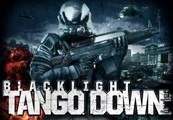
In Blacklight: Tango Down, experience the bleeding edge of advanced warfare. Participate in the “NetWar”: a hyper-realistic battlefield letting you fight tomorrow’s conflicts with or against your friends in the gritty Blacklight universe. Make your stand across seven game modes with 12 different maps in intense online battles supporting up to 16 players. Or fight through four intense Black Ops missions co-operatively or alone; all the while gaining experience, collecting stats, and unlocking items. Earn new weapon attachments and items, improve your abilities, and engage your Hyper Reality Visor to locate enemies and take them out. Customize your character and weaponry from among thousands of combinations to become the soldier you always wanted to be. Features Groundbreaking content: 12 multiplayer maps across seven multiplayer game modes. Black Ops missions: Enhance your skills in four co-op missions with support for 1-4 players. Highly-customizable weapons and armor: Modify the way your firearms shoot, look, and feel among thousands of combinations. Rank up through 70 levels: Improve your abilities as you unlock tons of new items, camos, armor, and weapon attachments!
Activation Details:
“Please remember that we are NOT responsible for any problems that may arise from purchasing and using Steam Gifts. You are doing it at your own risk. “Please note, that due to recent Valve Steam Gift policy update Steam Gifts for games that are covered by VAC ban program can no longer be added to Inventory. Make sure that you are logged in to the proper account before entering the link as Steam Gifts can be only added to your library or rejected. How do I use a Steam gift given to me? If you do not already have Steam, download and install Steam here. Once you have Steam installed, you will be prompted to create an account or login to an existing Steam account. If you do not have an account, please create one. You will receive an e-mail containing a link that will open Steam allowing you to redeem your gift. After clicking the link, you will receive a notification at the top right corner in the Steam client informing that you have a new gift.
Create an account
See order history, get a game library and check out faster